What is Heatsink
From the smartphone in your pocket to massive supercomputers, heat is a constant challenge. Every electronic device creates heat while working. Too much heat can slow things down, hurt performance, or even shorten how long your gadgets last. Keeping components cool is super important for smooth operation and long-term reliability.
This is where the heatsink comes in. It’s often an unseen hero of thermal management. Its main job is simple: move extra heat away from sensitive parts. This helps protect them from damage. Think of it as a cooling shield for your valuable electronics.
Heatsinks come in many shapes and sizes. They use different materials and designs for various jobs. We’ll explore how these vital devices work and why they are so crucial in today’s tech.
Understanding Heat in Electronics
Why do electronics get hot? It all comes down to basic physics. When electricity flows through a component, it faces resistance. This resistance turns some of the electrical energy into heat. It’s like friction in a mechanical system, but with electrons.
More power consumption means more current flows, which creates even more heat. As our gadgets get faster and do more, they need more power. This directly leads to higher temperatures inside. Powerful parts like your computer’s CPU (Central Processing Unit), GPU (Graphics Processing Unit), and power transistors are prime examples. They churn out a lot of heat while crunching numbers or rendering graphics.
The Consequences of Overheating
Excessive heat is bad news for electronics. One immediate effect is performance throttling. Your device might slow itself down on purpose to prevent damage. This keeps temperatures from rising too high. However, it also means your games lag or programs run slower.
Long-term, high heat can significantly reduce a component’s lifespan. It can make parts wear out faster. Overheating also causes system instability, leading to crashes or unexpected shutdowns. In the worst cases, components can fail completely, turning your expensive gadget into a paperweight. Experts suggest a big chunk of electronic failures happen because of heat problems.
Thermal Management:
Keeping electronics cool isn’t just a good idea; it’s a must. That’s why thermal management is such an important field. It’s all about finding smart ways to control and remove heat.
The main goal is to keep every electronic part within its safe operating temperature range. This makes sure everything runs smoothly and lasts a long time. Without good cooling, even the best components can’t perform their best.
How it Works?
The Principle of Heat Transfer
Heatsinks work by moving heat in a few key ways. First, there’s conduction. This is when heat moves directly through the heatsink’s solid material. Hot components touch the heatsink, and heat energy travels through it. Think of heat moving along a metal spoon when you stir hot soup.
Next comes convection. This is how the heatsink gets rid of that heat into the air around it. The heatsink warms up the air touching its surface. This warmer air then rises, and cooler air flows in to take its place. This continuous cycle carries heat away. A tiny bit of heat also escapes through radiation, but conduction and convection do most of the work.
Key Components:
A heatsink system has several important parts working together. Each one plays a role in cooling.
- The Base (Contacting the Heat Source) The base is the flat part of the heatsink that sits directly on the hot component. Making sure this surface is very flat and has good contact is super important. Even tiny air gaps can trap heat.
- To fix these gaps, you use thermal paste or a thermal pad. This special material fills microscopic imperfections. It helps heat move from the component to the heatsink much more effectively.
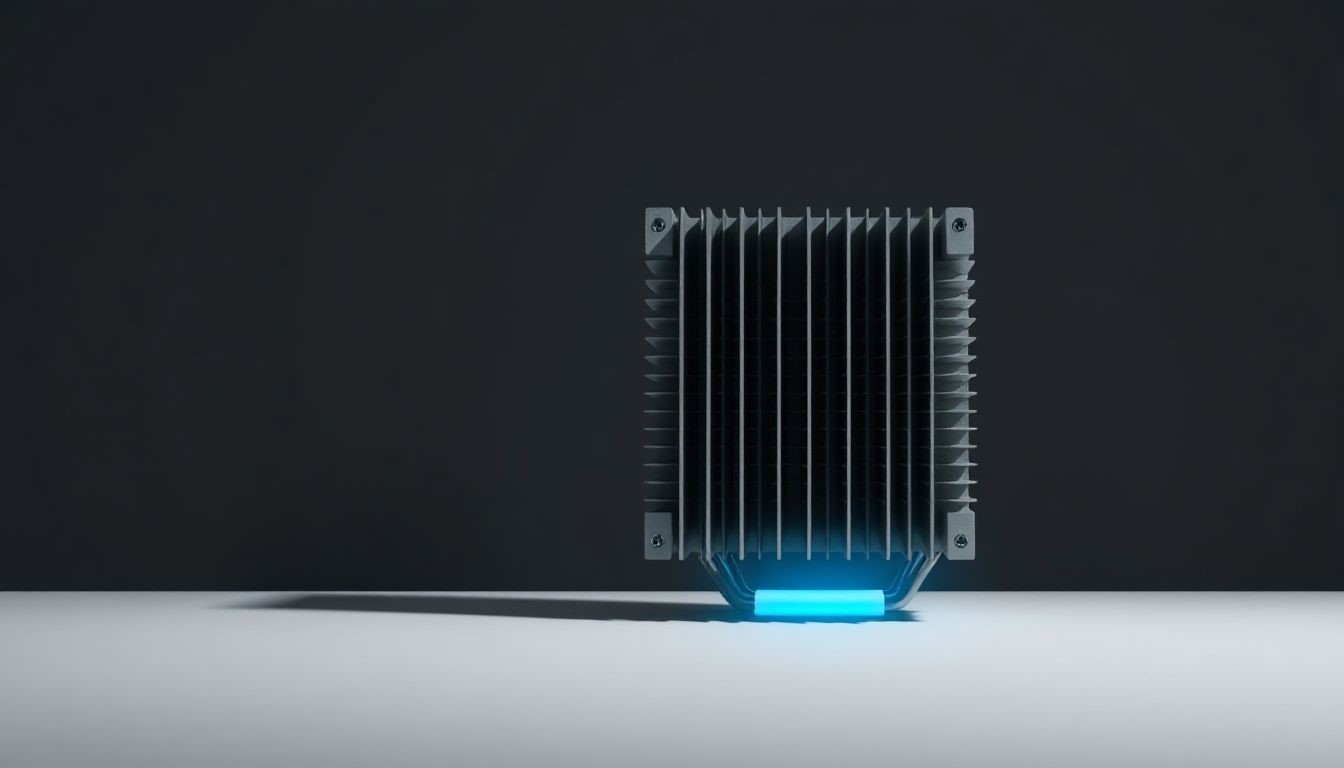
- The Fins/Surface Area Heatsinks aren’t just solid blocks. They have many fins or spikes sticking out. These fins dramatically increase the surface area available. More surface area means more air can touch the heatsink. This allows more heat to transfer through convection.
- Fins come in different shapes, like straight plates, small pins, or staggered designs. Each shape has advantages for airflow and cooling power.
- Optional Cooling Enhancements (Fans, Liquid Cooling) Sometimes, natural airflow isn’t enough. That’s when we add active cooling. Fans blow air over the fins, speeding up convection. Liquid cooling systems use a liquid to carry heat away even faster. These enhancements boost a heatsink’s performance a lot.
Materials Matter:
The material a heatsink is made from affects how well it works. It also impacts its cost.
Aluminum is a popular choice. It’s lightweight, conducts heat pretty well, and costs less. You’ll find aluminum heatsinks in many everyday electronics. For instance, they’re great for smaller components or where weight is a concern.
Copper is even better at conducting heat than aluminum. It can move heat away faster. But copper is heavier and more expensive. So, copper heatsinks are often found in high-performance applications, like for powerful CPUs or GPUs that get very hot.
3 Types of Heatsinks
Heatsinks aren’t all the same. Their design changes based on how much heat they need to move.
1. Passive Heatsinks
Passive heatsinks are the simplest kind. They don’t have any moving parts or use electricity themselves. They rely only on natural convection and heat radiation to cool things down.
These heatsinks are quiet and very reliable. They don’t need maintenance. You can find them in many consumer electronics that don’t generate extreme heat. Think of the heatsink inside your Wi-Fi router, on older computer chipsets, or in some power supplies. They work well for components with lower heat output.
2. Active Heatsinks
Active heatsinks take cooling up a notch. They add a fan or other powered method to push air over their fins. This greatly increases how much heat they can dissipate.
Because they move air so much faster, active heatsinks offer much better cooling. This extra power comes with some trade-offs, though. They add complexity, can make noise, and use a bit more electricity. Modern CPUs and GPUs almost always use active heatsinks. They need that extra cooling power to run at their peak.
3. Advanced Cooling Solutions
For the hottest components, more advanced cooling systems exist. These push the boundaries of heat dissipation.
- Heat Pipes Heat pipes are clever devices that move heat very efficiently over a distance. They use a special liquid inside that changes from a liquid to a gas and back again. This phase change quickly carries heat from one end of the pipe to the other.
- You’ll often see heat pipes in high-performance laptops. They move heat from the CPU or GPU to a heatsink with a fan, even if the heatsink isn’t directly on the chip.
- Liquid Cooling Systems Liquid cooling systems go even further. They use a liquid coolant, usually water, to absorb heat. A special block acts as a heatsink on the component. The liquid flows through this block, picks up heat, and then travels to a radiator. Fans then cool the liquid at the radiator, and the cycle continues.
- These systems are popular in high-end gaming PCs and powerful servers. They provide top-tier cooling, but they are also more complex and expensive.
Choosing and Installing a Heatsink
Picking the right heatsink and putting it in correctly is vital for good cooling. Don’t overlook these steps!
Factors to Consider When Selecting:
You need to think about a few things when picking a heat dissipation device. First, check the Thermal Design Power (TDP) rating of your component. This tells you how much heat it can generate. Your heatsink needs to handle at least that much heat. Next, consider the form factor. Will it physically fit in your computer case or device?
Also, check the mounting mechanism. Does it match your motherboard or component? Not all heatsinks fit all chips. Always read manufacturer specifications carefully and look at product reviews. This helps ensure compatibility and performance.
The Importance of Proper Installation
A great heat removing device won’t work well if you install it wrong. First, always clean both the component surface and the heatsink base. Use a special cleaner to remove old thermal paste and any dirt. Then, apply new thermal interface material (TIM), like thermal paste, correctly. A small dot or thin line usually works best.
Finally, make sure the heatsink is securely mounted. Apply even pressure as you fasten it down. Don’t over-tighten screws, as this can damage the motherboard or component. Even pressure ensures good contact and heat transfer.
Conclusion
They are crucial for keeping our electronics from failing and running at their best. They quietly work to move heat away from sensitive parts. Without them, our powerful devices would quickly overheat and break down. Understanding how heat transfers, choosing the right materials, and proper installation are all vital. As our gadgets get more powerful, innovations in heatsink design will keep them cool and working reliably. The future of technology depends on smart thermal management.